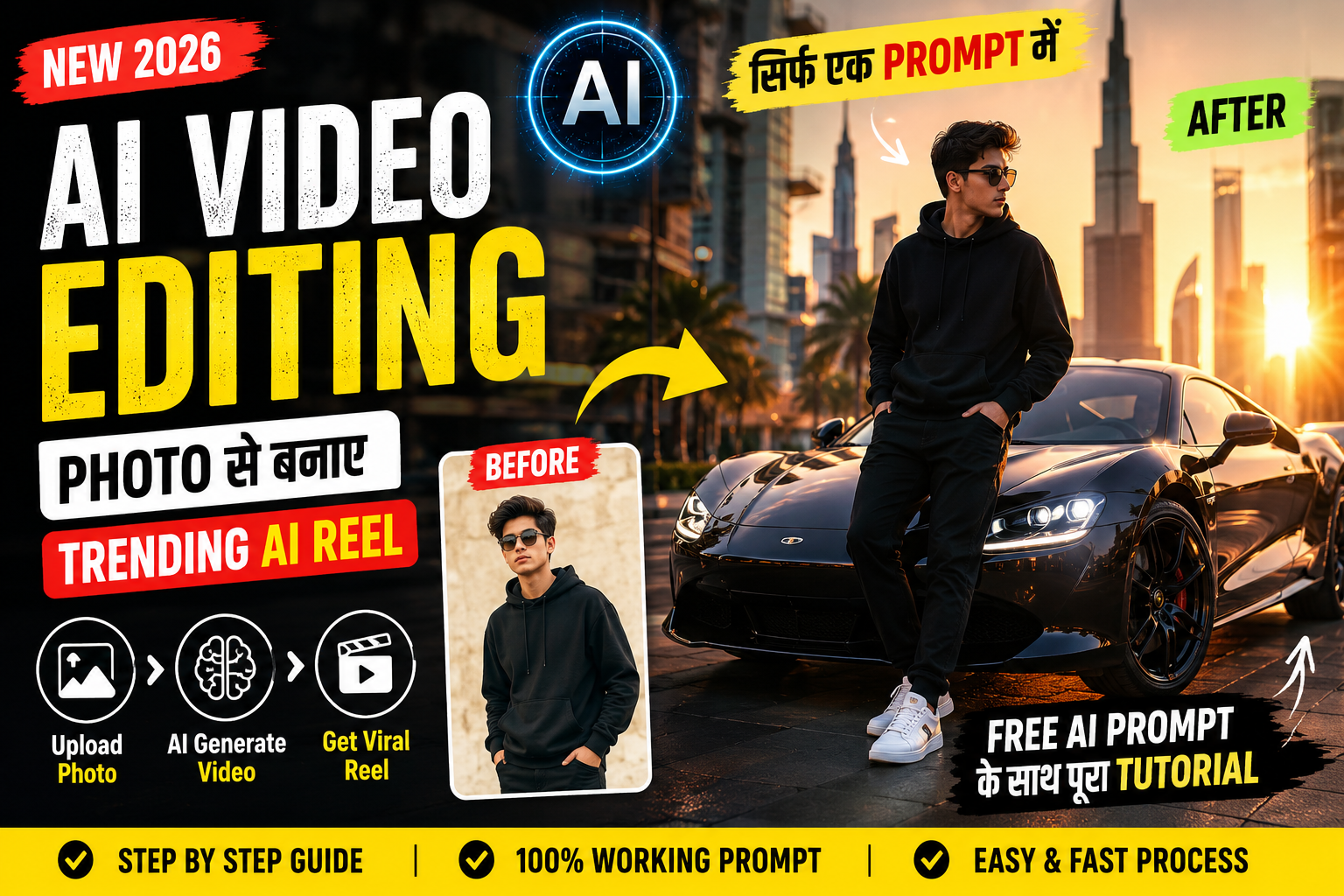
आजकल AI Video Editing की मदद से creators अपनी normal photos को cinematic videos में बदल सकते हैं। आप अपनी photo को किसी creative scene में दिखा सकते हैं, cinematic car video बना सकते हैं या अपनी पसंद के अनुसार एक नया short video तैयार कर सकते हैं।
अगर आप भी अपनी photo से trending-style AI Reel बनाना चाहते हैं, तो इस tutorial में आपको एक ready-to-use AI Video Prompt, video generation का तरीका और final editing की पूरी जानकारी मिलेगी।
इस guide में हम एक cinematic luxury car Reel का example लेंगे। आप इसी workflow को अपने दूसरे creative ideas पर भी इस्तेमाल कर सकते हैं।
What Is AI Video Editing?
AI Video Editing का मतलब Artificial Intelligence की मदद से video बनाना, modify करना या edit करना है।
Traditional video editing में आपको खुद footage record करना, clips cut करना, camera movement plan करना और effects add करने पड़ सकते हैं। AI video tools कुछ tasks को आसान बना सकते हैं, जैसे photo को animate करना, background बदलना, video में objects modify करना और नए visual scenes बनाना।
उदाहरण के लिए, आपके पास एक simple portrait photo है। आप उसे AI video generator में upload करके एक cinematic city scene बनाने का prompt दे सकते हैं। Tool आपके prompt और reference image के आधार पर video generate करने की कोशिश करेगा।
हालांकि, final result इस बात पर निर्भर करता है कि आपका prompt कितना clear है, tool में कौन-से features उपलब्ध हैं और source image कैसी है।
What Do You Need to Make an AI Reel?
AI Reel बनाने से पहले ये चीजें तैयार रखें।
1. Your Photo
एक clear, high-quality photo चुनें। अगर आप चाहते हैं कि video में आपका चेहरा पहचाने जाने योग्य रहे, तो अच्छी lighting और साफ facial details वाली photo इस्तेमाल करें।
2. AI Video Generator
ऐसा tool चुनें जो image-to-video या video editing को support करता हो। Google Gemini की उपलब्ध video generation सुविधाओं में supported accounts के लिए images और videos को reference के रूप में इस्तेमाल करने तथा generated videos को edit करने के विकल्प शामिल हैं। Feature availability account और plan पर निर्भर हो सकती है।
3. Video Prompt
Prompt में subject, scene, movement, camera angle और lighting के बारे में स्पष्ट instructions दें।
4. Video Editor
Generated clip को final touch देने के लिए CapCut, VN या कोई अन्य compatible editor इस्तेमाल कर सकते हैं।
Free AI Video Prompt: Photo to Cinematic Car Reel
इस example में हम एक cinematic sports car scene बनाएंगे। आपका character एक modern city में luxury car के पास खड़ा होगा। Camera धीरे-धीरे subject की तरफ move करेगा और अंत में car का cinematic wide shot दिखाई देगा।
Copy-Paste AI Video Prompt
नीचे दिए गए prompt को copy करें और अपने AI video generator में इस्तेमाल करें।
Prompt:
Create a photorealistic cinematic vertical video using the uploaded photo as the main character reference.
SCENE: A modern luxury car parked on a beautiful city street during golden hour. The person from the uploaded photo stands naturally beside the car, with realistic body proportions and natural posture.
IDENTITY: Preserve the recognizable facial features, hairstyle, skin tone, and general appearance of the person in the uploaded photo. Keep the person’s appearance consistent throughout the clip.
ACTION: The person slowly turns toward the car, takes a natural step forward, and looks toward the camera. Keep the movements subtle, smooth, and physically believable.
CAMERA: Begin with a medium shot of the person and the car. Slowly move the camera closer to the subject, then transition to a smooth side angle that reveals more of the vehicle.
LIGHTING: Use warm golden-hour sunlight, realistic reflections on the car body, natural shadows, and cinematic depth of field.
VISUAL STYLE: Photorealistic automotive commercial, premium cinematic look, detailed environment, natural motion, realistic materials, and balanced color grading.
CONSISTENCY: Keep the car design, clothing, background, and character appearance consistent throughout the clip. Avoid flickering, face distortion, unnatural hands, warped vehicle parts, and sudden scene changes.
FORMAT: Vertical 9:16 composition for short-form social media content. Use a short clip duration supported by the selected video generator.
Do not add captions, titles, watermarks, or unrelated objects.
How to Use This Prompt
- Open an AI video generator that supports image-to-video generation.
- Upload your own photo.
- Paste the prompt into the prompt box.
- Generate the video and wait for the result.
- Review the output for face consistency, realistic movement, and visual errors.
- Download the generated clip if the tool provides that option.
ध्यान रखें कि prompt में लिखी हर instruction का पालन होना जरूरी नहीं है। अगर face या movement में errors दिखाई दें, तो prompt को छोटा करके दोबारा generate करने की कोशिश करें।
How to Create a Video Using a Reference Clip
अगर आप अपनी photo को किसी reference video की movement के अनुसार animate करना चाहते हैं, तो ऐसा tool चुनें जो video reference या video-to-video editing को support करता हो।
Step 1: Choose a Reference Video
एक छोटा video चुनें जिसमें camera movement और subject की action स्पष्ट हो। बेहतर होगा कि video आपका अपना हो या उसके इस्तेमाल की आपको अनुमति हो।
Step 2: Upload Your Photo and Video
AI tool के interface में उपलब्ध upload options का इस्तेमाल करके अपनी photo और reference video जोड़ें। हर tool दोनों inputs को एक साथ support नहीं करता, इसलिए पहले इसकी capabilities check करें।
Step 3: Explain What Should Change
Prompt में साफ बताएं कि reference video की कौन-सी चीजें रखनी हैं और कौन-सी बदलनी हैं।
उदाहरण के लिए, camera movement और scene structure को reference मान सकते हैं, जबकि main character के लिए अपनी photo का इस्तेमाल करने को कह सकते हैं।
Step 4: Generate and Review
Video generate होने के बाद character consistency, scene continuity और movement को check करें। यदि result में unwanted changes हों, तो prompt को refine करें।
Step 5: Edit the Final Clip
Generated clip को video editor में import करें। जरूरत के अनुसार trimming, music, sound effects, color correction और transitions जोड़ें।
Reference video को बिल्कुल reproduce करने के बजाय अपनी original styling और creative changes जोड़ना बेहतर है।
Best Tips for Better AI Video Results
Use a Clear Photo: Blurry images या बहुत dark lighting के कारण subject की details सही तरह से preserve नहीं हो सकतीं।
Keep the Prompt Focused: एक short clip के लिए एक मुख्य action चुनें। बहुत सारे unrelated actions जोड़ने से output inconsistent हो सकता है।
Describe Camera Movement: Slow zoom, tracking shot या side-angle movement जैसी specific instructions दें।
Review Every Frame: Generated video में face, hands, clothing या background में visual errors हो सकते हैं। Publish करने से पहले video को ध्यान से देखें।
Add Your Own Editing Style: अपनी पसंद का music, captions, color grading और pacing इस्तेमाल करें। इससे आपका content दूसरे videos से अलग हो सकता है।
How to Edit AI Reels in a Video Editor
AI से video generate करने के बाद आप उसे CapCut, VN या किसी compatible editing app में polish कर सकते हैं।
- Generated video को editor में import करें।
- शुरुआत और अंत के unwanted frames trim करें।
- Video की timing के अनुसार background music जोड़ें।
- जरूरत के अनुसार speed adjustment या smooth transitions लगाएं।
- Brightness, contrast और color grading adjust करें।
- Final video को पूरा देखकर visual errors और audio sync check करें।
- अपने platform के लिए suitable vertical format में export करें।
Short-form videos के लिए 9:16 vertical aspect ratio एक सामान्य choice है। अगर आपका source video किसी दूसरे aspect ratio में है, तो crop करने से पहले subject की framing जरूर check करें।
Can You Earn Money From AI Video Editing?
AI video editing सीखकर आप कई प्रकार की services और content projects पर काम कर सकते हैं।
Freelance Video Editing
Creators और small businesses के लिए short promotional videos, product clips और social media Reels बनाने की service दे सकते हैं।
Social Media Content Creation
अपने Instagram page या YouTube channel पर original AI video tutorials और creative examples publish कर सकते हैं।
Website and Blog Content
अपनी website पर AI video prompts, tool tutorials, prompt examples और editing guides publish कर सकते हैं।
Sell Creative Services
जब आपके पास अच्छा portfolio और practical experience हो जाए, तो clients को AI-assisted video production की service offer कर सकते हैं।
इन सभी तरीकों में income की कोई guarantee नहीं है। Results आपकी skill, portfolio, audience और client demand पर निर्भर करते हैं।
Important Things to Remember
AI-generated videos बनाते समय कुछ जरूरी बातों का ध्यान रखें।
- किसी दूसरे व्यक्ति की photo इस्तेमाल करने से पहले उचित permission लें।
- Reference videos और music के copyright rules का पालन करें।
- किसी व्यक्ति की identity का गलत इस्तेमाल करके misleading video न बनाएं।
- AI-generated output को publish करने से पहले उसकी accuracy और visual quality check करें।
- जिस AI tool का इस्तेमाल कर रहे हैं, उसकी usage limits और commercial-use terms पढ़ें।
Frequently Asked Questions (FAQs)
1. Photo Se AI Reel Kaise Banaye?
एक supported AI video generator में अपनी photo upload करें, detailed prompt लिखें, video generate करें और फिर किसी video editor में final editing करें।
2. क्या AI Video बनाने के लिए Free Tool उपलब्ध है?
कुछ AI tools सीमित free features या trial credits दे सकते हैं। Video generation की availability और pricing समय के साथ बदल सकती है, इसलिए official website पर current details check करें।
3. क्या AI मेरी Photo को Realistic Video में बदल सकता है?
हां, image-to-video tools realistic-looking clips बना सकते हैं। हालांकि, face consistency, body movement और background details में errors हो सकते हैं।
4. AI Video के लिए कौन-सा Aspect Ratio सही है?
Instagram Reels और YouTube Shorts जैसे vertical formats के लिए 9:16 एक सामान्य विकल्प है। Final export से पहले platform की current specifications check करें।
5. क्या AI Video Editing से पैसे कमाए जा सकते हैं?
आप freelance editing, content creation, tutorials और business video services के माध्यम से earning opportunities तलाश सकते हैं। Income guaranteed नहीं है।
6. AI Video में Face बदल जाए तो क्या करें?
एक clear reference photo इस्तेमाल करें, identity instructions को स्पष्ट करें और scene में unnecessary movement कम रखें। इसके बाद prompt को refine करके दोबारा generate करें।
Conclusion
AI Video Editing से आप अपनी creative ideas को short videos में बदल सकते हैं। एक अच्छी photo, focused prompt और सही editing workflow से आप cinematic car videos, portrait animations और दूसरे creative visuals बनाने की कोशिश कर सकते हैं।
शुरुआत में simple scenes बनाएं। Generated video को ध्यान से review करें और फिर music, color grading तथा transitions जोड़ें।
सबसे जरूरी बात यह है कि केवल किसी trend को copy करने पर ध्यान न दें। अपनी creativity और original ideas के साथ AI tools का इस्तेमाल करें।
अगर आप AI Video Prompts सीखना चाहते हैं, तो अलग-अलग prompts test करें और अपने सबसे अच्छे results को portfolio के रूप में सुरक्षित रखें। इससे आपकी editing skills को बेहतर बनाने में मदद मिल सकती है।